

Access control systems decide who may enter a facility, which doors they may use, and when entry is allowed. They also give businesses an activity record that a standard key cannot provide.
Electronic entry links credentials, readers, controllers, locks, and software. If a door denies entry or a lock works only sometimes, we check the whole system to find the cause.
For businesses in Miami, Broward, and Palm Beach, PC Evolution solutions handle installation, setup, and troubleshooting. We support systems and hardware from Avigilon, Software House, DSX, LenelS2, Altronix, HID, and C•CURE 9000.
Key Takeaways
- Entry rules can limit access by person, door, and time.
- Event logs help teams review who used each door.
- Readers, controllers, locks, and software must work together.
- A denied entry may point to more than a bad credential.
- We assess the complete door and system before recommending a fix.
Access Control Systems: How Electronic Entry Protects Facilities
For businesses in Miami, Broward, and Palm Beach, doors should open for the right people at the right time. Access control systems make that choice at each protected entrance and record every request.
How credentials, readers, controllers, and locks work together
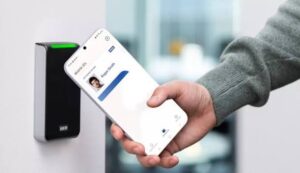
When someone presents a card or mobile credential, the reader sends its data to a controller. The controller checks whether that person may enter that door at that time.
For an approved request, the controller releases the lock for a set time. A denied request keeps the door locked, while we configure access control for each space.
Why access schedules and event logs offer more control than mechanical keys
A mechanical key works whenever its holder has it. It cannot limit entry to work hours or show who used it at a door. If a key goes missing, the lock may need rekeying.
We can configure access control to remove a lost credential or change a worker’s hours without replacing the lock. Event logs show approved and denied requests, while alerts can flag a forced or open monitored door.
We recommend giving people access only to areas their work requires. This keeps sensitive rooms restricted while staff reach the spaces they need.
Access Control Hardware: Card Readers, Controllers, REX Devices, and Locks
Each controlled opening uses parts that must work together. For access control installation, we assess each door or gate, its power supply, and exit needs.
Card readers and controllers that process entry requests
Card readers capture a card, fob, PIN, or other supported credential. Controllers check the request against access rules, then signal the lock to release or stay secure.
The same process can manage a turnstile or another barrier. We match the hardware to the site’s traffic and security needs.
REX devices, electric strikes, and magnetic locks for controlled doors
REX devices detect when someone intends to leave, often through a button or motion sensor. They can pause a door alarm and release a lock when needed.
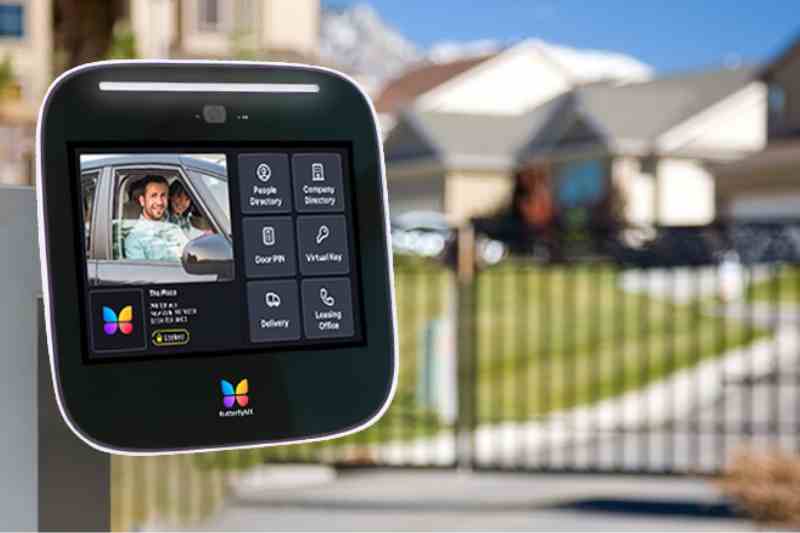
Electric strikes let a door latch pass, while magnetic locks hold it shut with powered magnets. We choose hardware that suits the door and its exit needs.
Door-position monitoring and safe exit during emergencies
A door-position contact reports whether an opening is closed, open, or held open. This signal helps staff spot a door left ajar.
We also check how locks behave during power loss and how occupants can get out. Emergency exit rules depend on the opening and local fire code.
Access Credentials and Authentication Options
Door access depends on who uses it and what lies behind it. We match each credential to daily traffic, site risks, and existing tools.
Cards, key fobs, mobile credentials, and biometrics
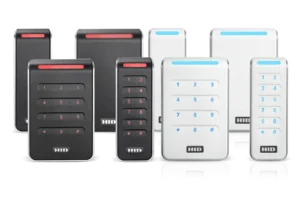
Cards and small key fobs give staff fast entry. HID supports older proximity readers and newer smart card systems. Smart cards may use a contact chip or contactless reader, so each reader must match its card.
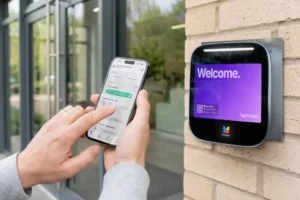
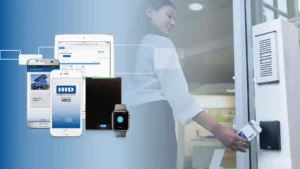
Phones can store mobile credentials and connect through near-field communication, Bluetooth Low Energy, or ultra-wideband when supported. PINs and fingerprint, face, or iris scans provide other identity checks. During access control configuration, we also review how staff enroll and replace lost credentials.
Multi-factor authentication for higher-risk areas
Cards can be shared or stolen. In a server room or records area, we may pair a card with a PIN or supported biometric check. This combines something a person has with something they know or are.
Before recommending this extra step, we check the reader, software, enrollment process, and privacy practices. The method must protect the room without slowing people who need to enter.
Standalone vs. Enterprise Access Control Systems
The best setup depends on the doors and locations a business must manage. We compare access control systems by daily tasks, not site count.
When a standalone system fits a single facility or secure area
A standalone system manages one building or secure area. It may work without a wider network, making it useful for sites with few doors and limited staff changes.
Each site needs its own updates. Badge changes may take longer, staff may enroll more than once, and teams may struggle to review event records together. PC Evolution services can help businesses assess that workload before adding another site.

How enterprise systems centralize enrollment, permissions, and monitoring
An enterprise system connects sites through a shared network. Teams can enroll staff, change door rights, revoke credentials, and monitor activity from one place.
Central management can combine server updates and reports in one workflow. However, it requires more network planning. For businesses across Miami, Broward, and Palm Beach, PC Evolution services help weigh this need against separate site management.
Product Review: Access Control Platforms and Hardware PC Evolution Supports
We support access control systems across Miami, Broward, and Palm Beach. Your product choice should fit your doors, equipment, and daily needs.
Avigilon, Software House, DSX, LenelS2, and C•CURE 9000
We support Avigilon, software house, dsx, and lenels2 environments. c•cure 9000 is a software house platform, not a separate brand. We review installed versions and hardware before recommending changes.
Avigilon offers mobile credentials and cloud-connected options. We check each product and setup to confirm which features your site can use.
Altronix power products and HID credential technologies
altronix products can power controllers and locks, while hid technologies support cards and other credentials. We check power needs and credential formats early. A familiar brand does not always guarantee a match.
What to check before combining products from different manufacturers
We check documented support for each controller and reader model, software versions, licenses, and integrations. We also review communication methods and lock power needs.
Basic readers send credential data to a controller. Some readers manage door inputs and outputs, while intelligent readers may make decisions on site. These differences affect wiring, outage response, and repairs.
PC Evolution Install, configure, and troubleshoot access control systems
A secure door needs more than a working lock. We connect hardware, set access rules, and check alerts, so your team knows what happens at each entry.
PC Evolution Installation Services for Readers, Controllers, and Door Hardware
We install card readers, controllers, request-to-exit (REX) devices, electric strikes, and magnetic locks as the approved design requires. We also connect door sensors and check how each part works with the system.
Access Control Configuration for Users, Permissions, and Schedules
We set up credentials, user groups, door permissions, and access hours. Event logs show approved entry, denied attempts, forced entry, and doors held open.
Access Control Troubleshooting for Unreliable Entry and System Alerts
For pc evolution install work, we troubleshoot access control systems when entry becomes unreliable. We trace the path from the credential and reader through the controller, power, network, and lock. This helps us find the fault before replacing parts.
PC Evolution services also include working with your IT and security teams. We align access rules and document changes for ongoing support.
Access Control Installation and Configuration Considerations
A secure door needs a clear plan, not only a new reader. We bring facility operations, security, and IT together, so access control installation fits the building and its network.
Assessing doors, facility risks, power, and network connections
We map each door, the assets behind it, and its existing hardware. Before choosing locks and readers, we check power, cabling, and network paths. A server room may need stronger identity checks than a lobby.
Testing credential enrollment, access rules, and event logging
Access control configuration sets who may enter each space and when. At every door, we test new and revoked credentials, approved and denied entry, schedules, door contacts, alarms, and event logs. We also check how locks and controllers respond when power or network service drops.
Checking fire-safety requirements and emergency egress
A request-to-exit device can release a lock and prevent a false exit alarm. It does not prove that a door meets fire and exit rules. Before access control installation ends, we compare access control configuration with the exit plan.
We confirm fire-alarm connections with the local authority.
How to Troubleshoot Access Systems and Common Door Problems
We troubleshoot access systems by tracing each fault from the event log to the door. This separates a denied credential from a failed reader or lock.
Diagnosing denied credentials and reader communication failures
For a denied card, we review its status, user permissions, door schedule, and event record. If the reader stays dark or does not respond, we check power, wiring, and controller connection. Before changing access rules, we also test the network or serial link.
Checking controller power, door contacts, and lock operation
Next, we confirm controller power and check whether it sends a lock command after access is granted. We inspect the electric strike or magnetic lock, request-to-exit (REX) input, and door-position contact. These checks narrow the fault to hardware, a signal, or the power supply.
Investigating doors held open, false alarms, and network outages
A door-held-open alert may mean an ajar door, a misaligned contact, or an alarm delay that is too short. A forced-door alert calls for a separate review of the door and its event sequence.
Network outages add another layer to access control troubleshooting. A reader that relies on its main controller may stop working or enter a limited mode. A device that makes local decisions may keep using its saved settings, so we check network health and security too.
Cloud, Mobile, and Integrated Access Control Solutions
We judge new access features by the problems they solve. Our pc evolution solutions support mobile credentials when readers and software work together. Staff can keep cards where useful and give phones to employees who move between sites.
Cloud management lets authorized teams update access rules and schedules for many locations in one place. A hybrid setup can keep existing servers while adding remote alerts. We limit remote unlocks to requests staff can verify.
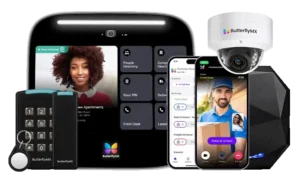
When we configure access control, we check whether video, visitor management, and building systems can share data. A linked video clip can show staff who approached a door after an alarm. A shared product label alone does not prove that systems will work together.
More connections create more paths for digital attacks. We use secure credential setup, encryption, software updates, and strict admin permissions to reduce that risk. Alerts can flag unusual entry, but a person should check the facts before taking action.
Are PC Evolution Services the Right Fit for Your Facility?
The right scope depends on your doors, tools, and support needs. We review these details before recommending work on access control systems.
Evaluating platform compatibility, installation scope, and ongoing support
We begin with your platform version, readers, controllers, and credentials. We count doors and sites, check connected tools, and discuss post-installation support. This process sets a scope that fits your facility.
Questions to ask about scalability, cybersecurity, and maintenance
Before choosing pc evolution services, ask how the system will handle growth and daily upkeep. The answers should cover routine changes and unexpected outages.
- Who updates permissions and ends access when someone leaves?
- How long are entry events kept, and who can review them?
- What happens if network service or power fails?
- Who manages patches, backups, and new doors?
Federal facility considerations: PIV credentials, FIPS 201, and approved components
Federal sites need a separate review. PIV credentials help verify employees and contractors. IT and physical security teams must plan together.
Agency-purchased PACS components must meet FIPS 201 and appear on the GSA Approved Products List.
NIST SP 800-116, Revision 1, recommends one factor for Controlled areas, two for Limited areas, and three for Exclusion areas. Certificate-based PIV checks also need valid certificate status and a trusted chain.
Before an agency system connects to its network, it needs an Assessment and Authorization and an Authority to Operate. These rules do not automatically apply to private sites. Federal PACS guidance is informative, not a compliance ruling. We can review how pc evolution services fit your facility’s requirements.
Conclusion
Good access control requires more than a reader at the door. We check credentials, software, power, and locks so entry rules stay accurate and people can leave safely.
Each site has different needs. A single secure room may need a simple setup. A growing business may need shared permissions, mobile entry, and clear event logs across several locations.
For a PC Evolution install, we assess the doors, network, and daily risks before setting access rules. We work with Avigilon, Software House, DSX, LenelS2, Altronix, HID, and C•CURE 9000 equipment.
We also provide access control troubleshooting when doors fail, alerts persist, or credentials stop working. For businesses in Miami, Broward, and Palm Beach, this means practical fixes and a plan for dependable access over time.